
I tend to overthink things, especially simple things. Starting a project on Ghost was no different.
While editing the "About" section of Cypher Field Notes, I wanted to add a section that addressed the reasons for this project, and another that listed my goals for it.
Now, I'm coming to Ghost after spending a few years slogging my way through the block editor in Wordpress, where I still maintain an archival site of my poetry projects. So, I'm used to just adding a list to a new block and calling it a day.
It was a little more challenging for me using the editor in Ghost, but only because I forgot about markdown.
Use Markdown For Lists
When editing a post or page, use the Markdown option. So when you start a new line, a "+" sign will appear in a circle on the left margin of the new line:
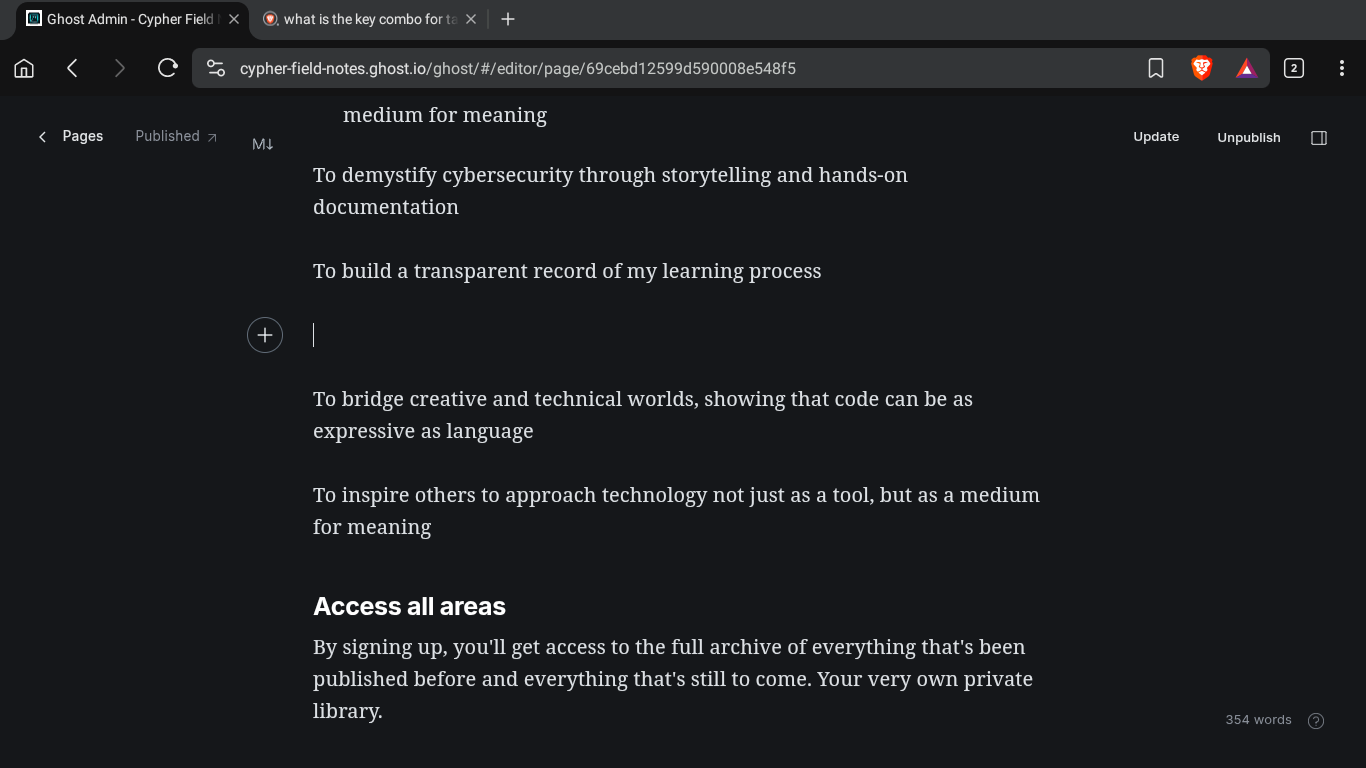
If you click on that plus sign, it will open up a menu. Scroll down to find the "markdown" option:
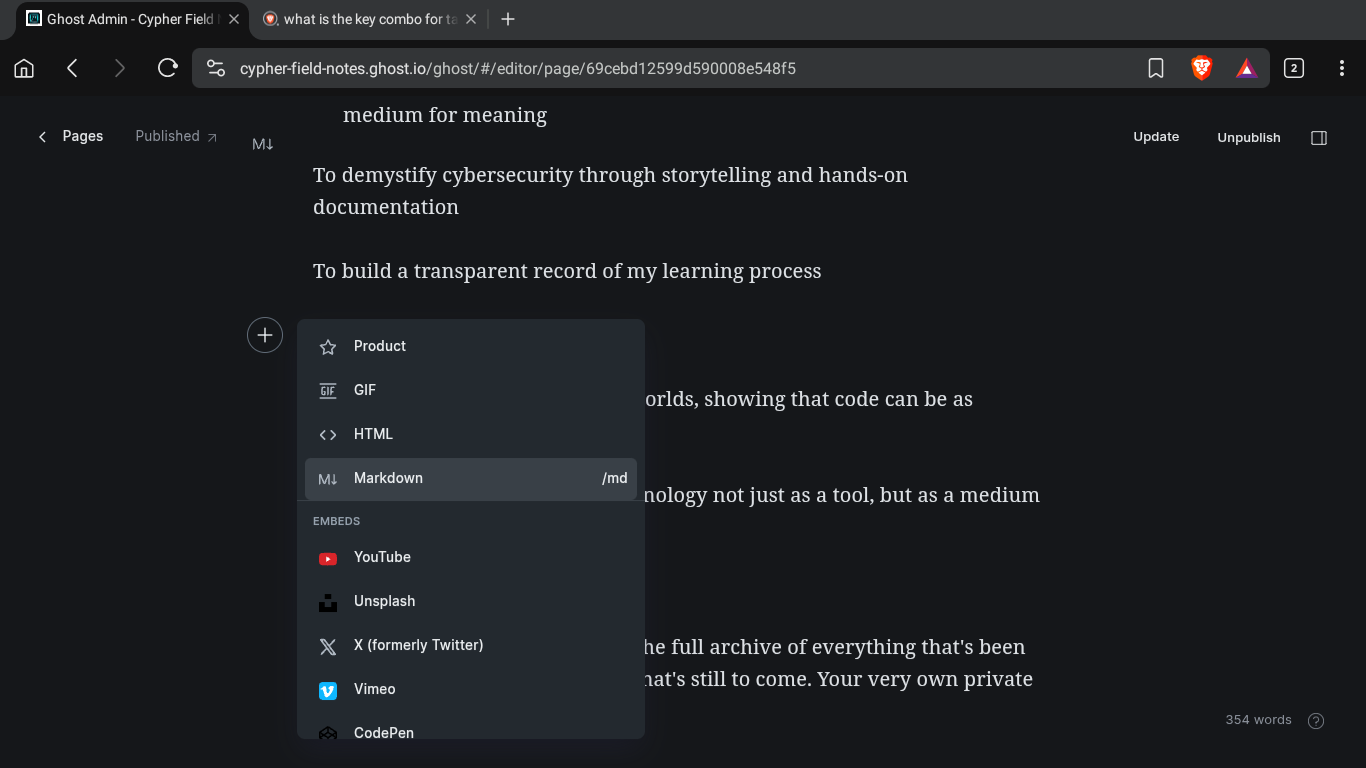
Select "Markdown" to open a box with markdown options.
Notice the short cut for the Markdown option. Instead of entering the menu, you can also type "/md" on the new line and it is supposed open the markdown box:
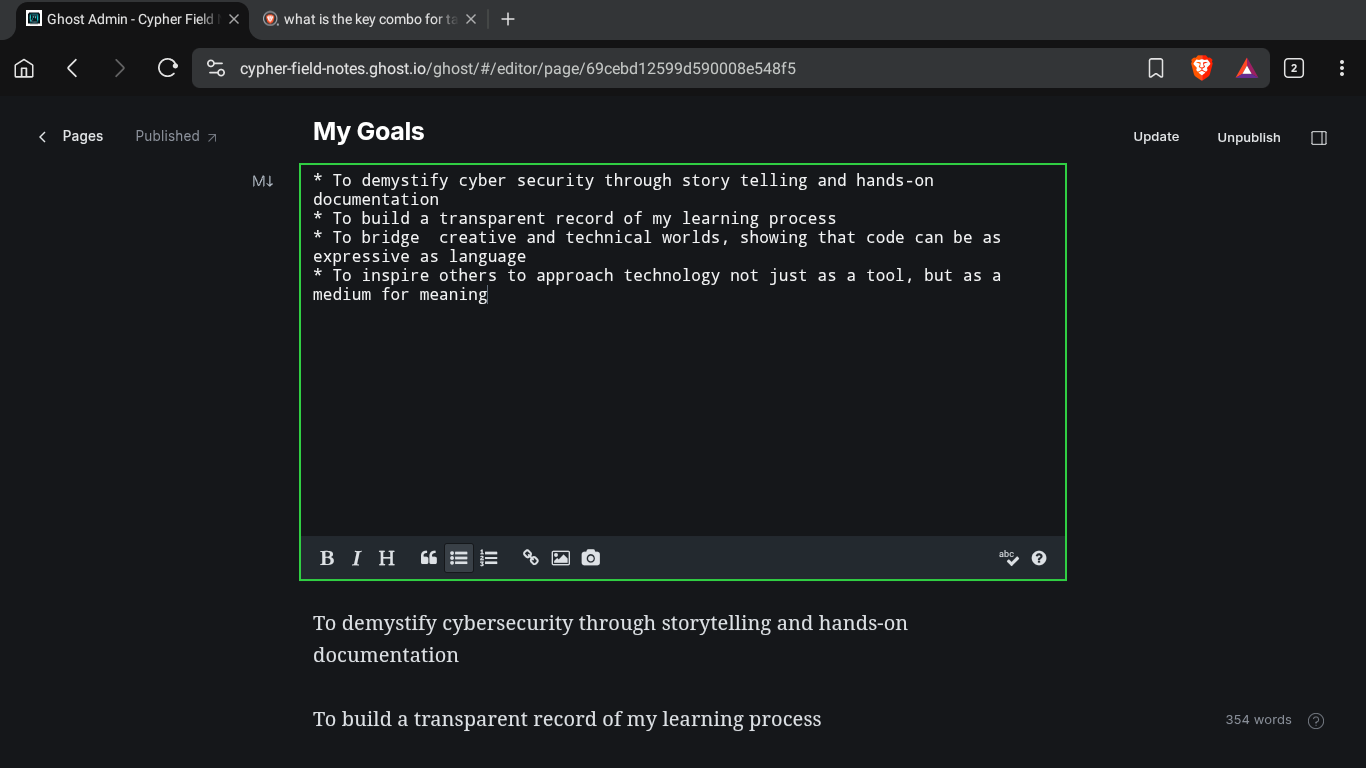
Once inside the box, you'll have the option for a numbered or bulleted list. For my intentions here, I chose a bulletized list.
Once you're done adding whatever you need, just click anywhere outside of the markdown box and it renders the inputs onto the page:
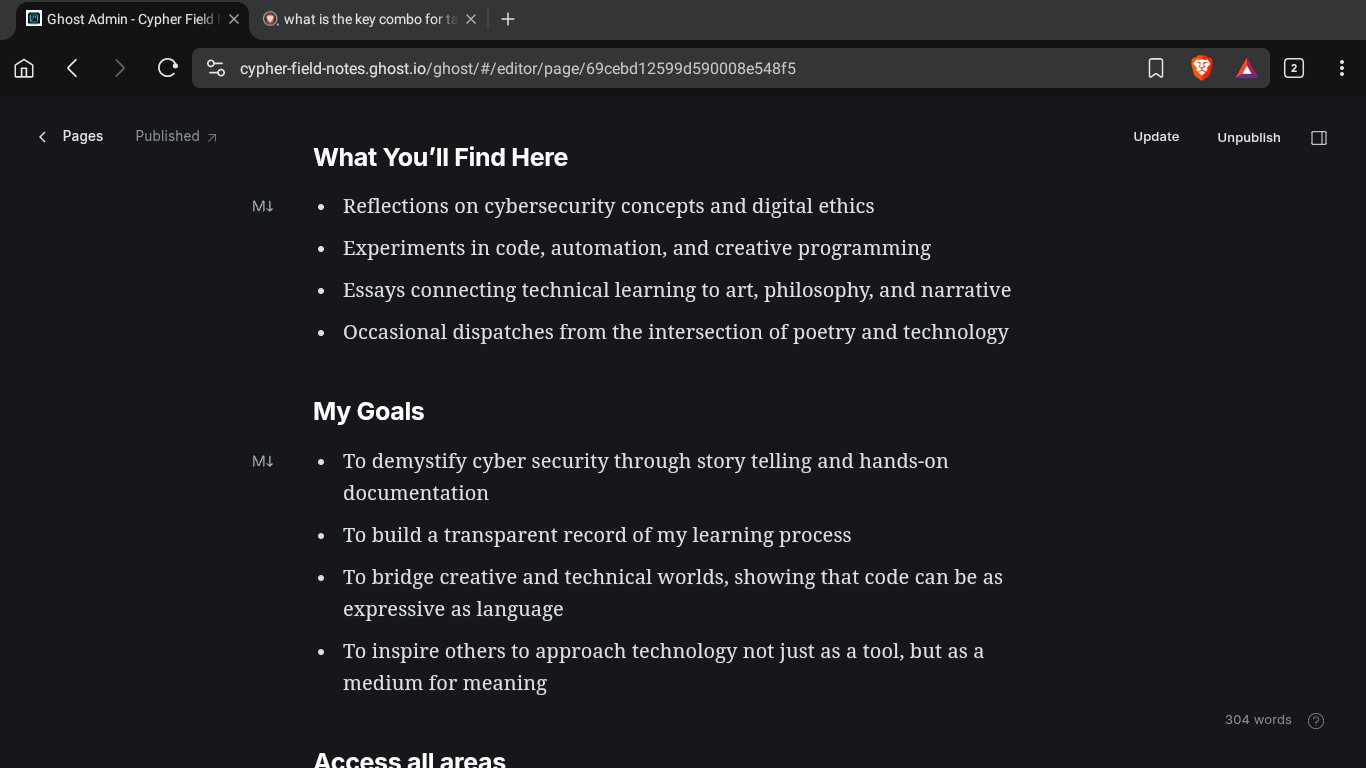
Boom! Lists added.
As a bonus tip, I discovered that you can just select text with your cursor, which will bring up a menu pop-up so you can quickly adjust the highlighted text:
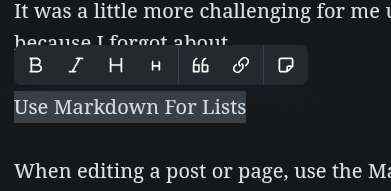
This is the quickest way I've found to make a text H1 or H2, or to insert a link.
I hope this saves you some time!